Leasingangebot einholen
So einfach geht's:
- Gewünschte Laufzeit wählen
- Kontaktformular ausfüllen und absenden
- Ihre Anfrage wird direkt an MMV Leasing übermittelt
- Bonitätsprüfung durch MMV Leasing
- Sie erhalten Ihr individuelles Leasingangebot
Leasingrechner

Mit dem Absenden des Formulars erklären Sie sich einverstanden, dass Ihre Daten an die MMV Leasing weitergeleitet werden und gemäß der Datenschutzerklärung der MMV Leasing Bank dort verarbeitet werden.
Digital menu

- Überblick
- Beschreibung
- Technische Daten
- Vertragsdetails
- Garantie
- Use Cases
Digital Signage Use-Cases
Use Cases


Produktbeschreibung
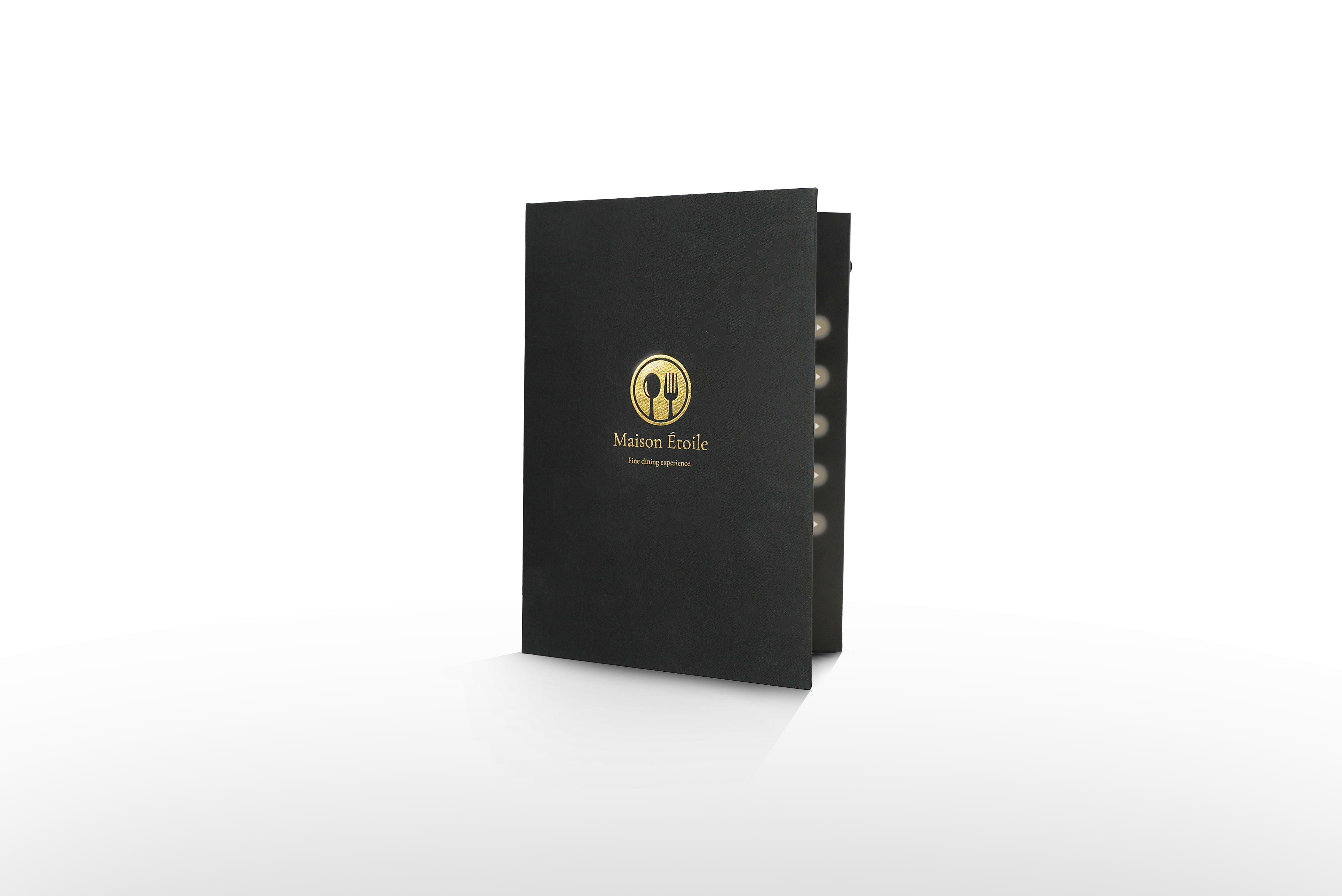
Transform your menu into a multimedia experience!
The video menu literally brings your menu to life. With its brilliant 10-inch display, integrated speaker, and up to eight user-programmable buttons, it offers an innovative way to inform guests and engage them emotionally.
Whether as a digital menu at the table, for presenting daily specials, signature dishes, events, or in multiple languages: the video menu creates attention, builds trust, and creates an unforgettable experience. It is particularly suitable for restaurants with high quality standards, modern food concepts, hotel restaurants, and event catering.
It is available in two high-quality hardcover formats (standard and large), is customizable, robustly constructed, and easy to use – without any technical frustration.
Make an impression now – every day
More than just a menu.
With the video menu you set new standards in guest communication.
Configure now and order from 25 pieces!
Weitere Produktdetails
- Mindestvertragslaufzeit: 12 Monate
- Kündigungsfrist: Vier Wochen zum Laufzeitende.
- Automatische Verlängerung nach Mindestvertragslaufzeit: Um jeweils 12 Monate, nach Ablauf der Kündigungsfrist.
Bei Bestellung von FLY2screen bitte beachten: Nach der Bestellung erhalten Sie eine E-Mail zur Freischaltung und können sich direkt im FLY2screen Portal in das Digital Signage Self-Service-Tool einloggen. Der automatische Einrichtungsassistent führt Sie durch die Erstkonfiguration. Bei Rückfragen können Sie sich jedoch jederzeit an unseren Support wenden. Wir helfen Ihnen gerne.
Software-Funktionen:
Die FLY2screen Digital-Signage-Software ermöglicht die zentrale Verwaltung von Bildschirminhalten über ein webbasiertes Portal. Inhalte, Playlisten und Zeitpläne können standortübergreifend gesteuert werden. Unterstützt werden u. a. Bilder, Videos, Webseiten, Social-Media-Feeds, RSS-Nachrichten, Wetter-Widgets sowie PDF-Dokumente. Mehrere Displays lassen sich synchronisieren und Inhalte zeit- oder ereignisbasiert automatisch ausspielen.
Keine Garantieinformationen verfügbar.
ePaper displays
Counter display
Digital outdoor customer stopper with battery
Frequently Asked Questions
What is the FLY2Screen software used for?
FLY2Screen is a cloud-based system for creating and managing digital content (e.g. images, videos, PDFs).
- The software runs via a web browser. No program download is required.
- The software is connected to the display via a server.
- This allows content to be created, managed and scheduled regardless of location.
What content can be played using the license?
We support all common formats, including MP4 videos, PNG, JPG, SVG, and PDF, as well as interactive content (touch). Office programs such as PowerPoint can only be played as PDFs due to licensing restrictions (Microsoft).
Can I schedule content and have it broadcast automatically?
Yes, with our software you can schedule content for specific times and days. Management works from any location; all you need is a working internet connection.
Do I need special technical knowledge to use the software?
No, our software is designed to be used even without prior technical knowledge. With an intuitive drag-and-drop editor, you can quickly create professional content. Step-by-step explanations can be found on the license homepage under Online Manual. If you have any questions, our support team is available to help.
Does each display need its own license?
Yes, each device requires its own license.
How do I get access to the FLY2Screen portal?
Within one business day, you will receive an activation email, which you can use to log in directly to the digital signage self-service tool in the FLY2screen portal. The automatic setup wizard will guide you through the initial configuration. If you have any questions, please contact our support team at any time.

Customer service
Personal advice
Didn't find what you were looking for? Do you have any questions about our products? Our customer service team is here to help!